


AZFamily's First Alert Weather
4.5217.00 Reviews
App Specs
- Version
- 6.2.602
- Updated On
- License
- Free
- Downloads
- 10,000+
- Developer
- Gray Media
- Categories
- Weather
- Platform
- Android
Screenshots
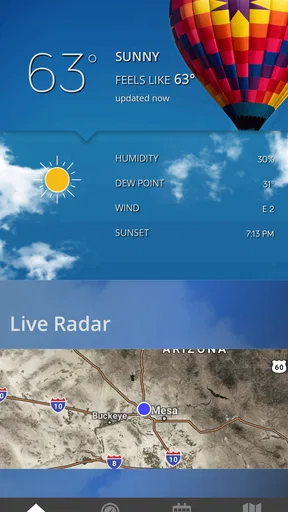
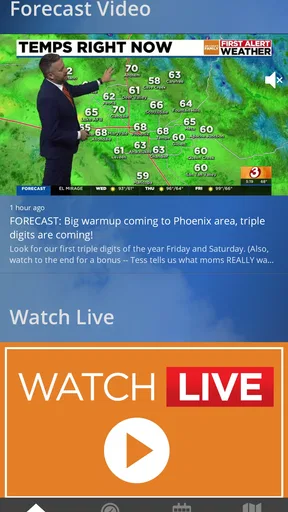
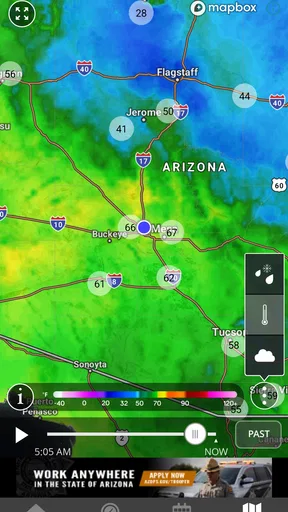
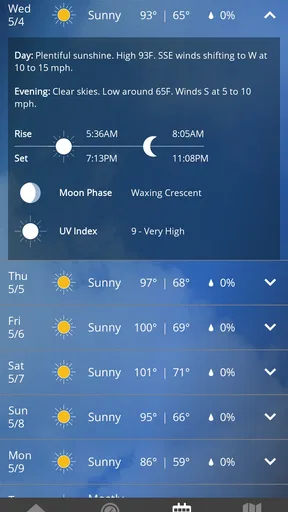
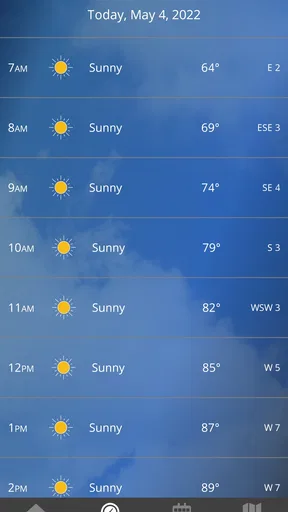
 Analysis by AppCompare
Weather apps are easy to install and just as easy to forget. I approached AZFamily's First Alert Weather with that in mind: not only asking whether it can show useful conditions today, but whether it deserves a regular place on my phone after the first week. Developed by Gray Media, this free weather app is built around the AZFamily viewing region, so its value depends heavily on how closely your daily life matches that local focus.
My first impression was practical rather than flashy. The app’s purpose is clear: help me check current conditions and keep an eye on what is coming next without turning a simple forecast into a research project. That makes it a natural fit for morning planning, commuting, school runs, outdoor work, and deciding whether a jacket or umbrella belongs in the car.
It is available to everyone and runs on Android devices using version 9 or later. The current release is 6.2.602, and the app remains free to download. Those details matter because this is the kind of utility I want to open quickly and use without a subscription decision getting in the way.
What makes the first week useful
During the first few days, the strongest appeal is the local orientation. A general weather service can cover almost anywhere, but a regional app feels more relevant when I mainly care about the conditions around home, work, and familiar nearby routes. The AZFamily connection gives this app a clear identity instead of making it feel like another interchangeable global forecast tool.
I found the most useful habit was checking it at two different times rather than relying on one glance. A quick look before leaving home answers the immediate question—what is happening now—while a second check before an afternoon activity helps me avoid treating a morning forecast as a promise. That simple routine is more valuable than endlessly comparing weather apps.
A realistic example is a weekday when I need to leave early, spend several hours away from home, and return during a different part of the day. I can use the app to decide how to dress, whether outdoor plans need flexibility, and whether a change in conditions deserves a second look later. The benefit is not dramatic; it is the quiet reduction of small decisions that otherwise accumulate.
The app also makes sense for people who already follow AZFamily and want weather information in the same local ecosystem. That familiarity can shorten the learning curve. Instead of starting with a huge collection of worldwide locations and advanced weather layers, I can focus on the place I actually live in and the forecasts that affect my routine.
Worth Reading Before You Choose

Flipboard Shows What News Apps Must Do Beyond the Feed

Switching to Android Auto Means Rethinking Your Driving Routine

Google Calendar Makes a Crowded Week Easier to Manage

Ludo King Makes the Most of the Minutes Between Plans

Baby Panda World Brings Quick Play to Modern Phones, but Its Game Library Feels Busy

ESPN’s Live Game View Makes Following Close Games Easier
One useful tip is to treat the app as a planning checkpoint, not as a permanent background authority. Weather changes, and the right workflow is to check before a meaningful decision: driving, exercising outdoors, attending an event, or sending children outside. That approach keeps the app useful without encouraging constant refreshing.
Where the local focus helps most
The local emphasis is especially helpful when broad national forecasts feel too vague. A city-level forecast can still miss conditions in nearby areas, but a regionally oriented service is usually easier to relate to than a generic screen filled with places I never visit. For everyday use, relevance beats an impressive amount of information.
I also like that the app’s role is easy to explain to another person. If a friend asks whether it is worth installing, I would describe it as a straightforward way to keep the AZFamily weather coverage close at hand. That is more honest than presenting it as a complete replacement for every specialist weather tool.
Its public reception supports that practical appeal. The app holds a 4.5 average from around 599 ratings, with over 217 written reviews and more than 10K installs. Those figures suggest a modest but engaged audience rather than a mass-market platform, which fits the app’s regional character.
Still, the first-week appeal can be misleading. Almost any weather app feels useful when I am actively testing it. The real question is whether it continues to answer a recurring need once the novelty of exploring screens has disappeared.
Why month-to-month value depends on habit
After the initial curiosity fades, a weather app earns its place through repetition. I do not need to admire it every day; I need it to be dependable enough that opening it becomes automatic when weather matters. This app has a reasonable chance of achieving that for users whose lives are centered on the AZFamily viewing region.
The best long-term use is not checking it dozens of times. It is attaching it to existing moments: after waking up, before leaving work, or before committing to an outdoor plan. A small routine is easier to maintain than a vague intention to “keep up with the weather.” Once connected to a daily trigger, the app becomes a practical tool rather than an unused icon.
For families, the recurring value comes from shared decisions. A parent can check conditions before planning a playground visit, a teacher or coach can review the outlook before an outdoor activity, and a commuter can make a quick decision about clothing or travel timing. These are ordinary uses, but they repeat often enough to justify keeping the app installed.
It can also be useful for people whose work is weather-sensitive. Outdoor crews, delivery workers, gardeners, event organizers, and anyone who spends long periods outside may appreciate having a regional forecast source ready. I would not make a serious operational decision based on one screen alone, but the app can serve as a convenient first check.
That distinction is important. The app’s recurring value is strongest for personal planning, not for replacing professional forecasting or specialized information. If weather directly affects safety, equipment, travel, or income, I would compare the forecast with another trusted source and use appropriate judgment.
A practical long-term workflow is to open the app once in the morning, note the broad shape of the day, and check again only when plans involve a meaningful change in location or timing. This avoids the fatigue that comes from repeatedly watching minor forecast adjustments. It also turns the app into a decision aid instead of a source of unnecessary worry.
Who is likely to keep using it
I think the strongest audience is someone who lives in or regularly travels through the AZFamily coverage area, prefers a local weather connection, and wants a free app for routine checks. It is also a sensible choice for users who dislike overcomplicated weather dashboards and mainly want information they can act on quickly.
People who move between several states, plan frequent long-distance trips, or need detailed international coverage may find the regional emphasis limiting. In that situation, a larger national or global weather service may be more convenient because it is designed around many locations rather than one viewing region.
Weather enthusiasts may also want more depth than this app’s straightforward purpose suggests. If I need highly specialized radar interpretation, extensive historical analysis, or a broad collection of technical layers, I would look for a dedicated alternative. The right comparison is not whether this app can do everything, but whether its focused approach matches my needs.
Maintenance is light, but not invisible
One reason a utility app survives on my phone is low maintenance. I do not want to rebuild a complicated setup every time I change a preference or update my device. A regional weather app has an advantage here because the basic use case is naturally narrow: open it, check the local outlook, and close it.
That simplicity does not mean I can ignore it completely. Weather information is only useful when the app is current, so keeping the installed version up to date is part of responsible use. The current version, 6.2.602, indicates an actively maintained release line, but I still prefer to check that the app opens normally after system updates rather than assuming every utility will behave perfectly forever.
My maintenance advice is simple: keep the app available, review its setup after a major phone change, and avoid building a routine around an alert or display that you have not tested recently. If the app is used for important plans, opening it manually is a better safeguard than assuming a notification will always arrive at the perfect moment.
Another small maintenance issue is attention. A weather app can become background clutter if I install it because of one storm or one trip and then never connect it to a lasting habit. I would decide after a few weeks whether it is genuinely helping. If I never open it except when searching for a very specific detail, another tool may be a better fit.
The free price helps here. There is no financial pressure to justify keeping it, but that also means the decision should be based on usefulness rather than sunk cost. I can keep it for quick local checks, or remove it without feeling that I have abandoned an expensive service.
For households sharing weather decisions, I would also establish one simple rule: check the app before plans, then check again if the plan lasts into a different part of the day. That reduces the chance that everyone relies on an old glance while avoiding the burden of monitoring continuously.
What may cause fatigue over time
The main source of fatigue is repetition without a clear decision attached to it. Forecasts naturally change, and checking every small fluctuation can make the app feel unreliable even when the changing weather is the real reason. I get better results when I use it to answer a question rather than to seek perfect certainty.
The regional focus can create a second kind of friction. It is a strength for local routines, but it becomes less convenient when my week involves several destinations. Someone who commutes across a wide area, travels regularly, or has family in another region may need a second weather service anyway. That can weaken the app’s claim to be the only weather tool on the phone.
There is also a difference between wanting a local forecast and wanting a full weather workstation. I would choose this app for quick awareness, not because I expect it to replace every advanced weather resource. Users who enjoy comparing models, studying detailed maps, or tracking conditions across many locations should consider whether a specialized app will save time in the long run.
Another trade-off is trust. A local connection can make information feel more relevant, but I still would not treat any app as infallible. For routine clothing choices, errands, and casual plans, a quick forecast is usually enough. For hazardous conditions or high-consequence activities, I would verify the situation through additional reliable channels.
The app’s audience size also tells me something about expectations. With over 10K installs, it is clearly aimed at a focused regional audience rather than trying to be the universal weather destination for everyone. That is not a weakness by itself, but it reinforces the need to choose it for local usefulness rather than broad coverage.
My best fatigue-avoidance tip is to create a “one check, one decision” rule. Look at the forecast, decide what to wear or whether to adjust the plan, and move on. If conditions are unusually important, perform a later deliberate check instead of refreshing continuously. This makes the app feel calmer and more dependable in daily life.
When I would choose something else
I would skip this app if my main requirement were worldwide travel planning, highly technical weather analysis, or a single dashboard for many distant locations. In those cases, a broader alternative would probably reduce the need to switch between services.
I would also hesitate if I lived outside the AZFamily viewing region and had no connection to its local coverage. The app’s identity is tied to that regional usefulness, so installing it purely because it is free would not be a strong reason. A weather service built around my actual location would likely be more convenient.
On the other hand, I would recommend trying it if I wanted a local-first companion that was easy to revisit. The free access, Everyone age rating, and modest system requirement make it approachable for a wide range of Android users. Its best quality is not spectacle; it is the possibility of becoming a small, repeatable part of a local routine.
Does it earn lasting space?
My long-term verdict is positive, with a clear condition: AZFamily's First Alert Weather earns lasting space when local relevance matters more than maximum breadth. It is useful because it keeps weather checking close to everyday decisions, and its free, focused nature makes it easy to maintain without turning the habit into a project.
I would keep it installed for morning planning, outdoor errands, family activities, and quick checks before leaving home. I would not rely on it as my only source for serious weather-sensitive decisions, and I would not recommend it to someone who needs extensive coverage across many regions.
The app’s strongest lasting feature is its fit with repetition. Once I connect it to a few regular moments, it stops competing for attention and simply becomes part of preparing for the day. That is the kind of recurring value many weather apps fail to create.
At the same time, the app should not be judged as a universal replacement for every alternative. Its local orientation is both its reason to exist and its main boundary. For the right user, that focus cuts through clutter. For the wrong user, it may feel too narrow after the first week.
Gray Media has positioned this as a practical weather companion for the AZFamily audience, and I think that description matches the experience better than a promise of endless features. If your plans are mostly local and you want a free way to check conditions without overthinking the process, I would give it a place on your phone and build a simple check-before-you-go habit around it.
Pros
- Clear
- easy-to-read forecasts for the Phoenix area
- First Alert notifications help users prepare for severe weather
- Useful radar and satellite views for tracking storms
- Live video coverage adds context during changing conditions
- Hourly and extended forecasts support daily planning
Cons
- Coverage is mainly focused on Arizona and nearby regions
- Some features may require a stable internet connection
- Frequent alerts can feel excessive during active weather
- Video and radar tools may use significant mobile data
- Advertising may appear throughout the free app
FAQs for AZFamily's First Alert Weather
What is AZFamily's First Alert Weather?
AZFamily's First Alert Weather is a weather app focused on conditions and forecasts in Arizona, with information particularly useful for viewers in the Phoenix area and surrounding communities. It typically provides current temperatures, hourly and extended forecasts, radar imagery, severe weather updates, video forecasts, and local alerts. The app is designed to complement the AZFamily weather team’s coverage with quick access to changing conditions throughout the day.
Does AZFamily's First Alert Weather provide severe weather alerts?
Yes, the app is intended to help users follow potentially dangerous weather, including excessive heat, dust storms, thunderstorms, flash flooding, and other hazards that can affect Arizona. Depending on your location settings and device permissions, it may send notifications about relevant watches, warnings, or advisories. Users should enable notifications and location access if they want timely alerts, while remembering that no app should replace official emergency instructions.
Can I use the app to view weather radar and forecasts for my location?
The app generally includes interactive weather tools that allow users to check radar activity, current conditions, and forecasts for selected locations. You can usually search for a city or allow the app to use your device location for more localized information. Radar and forecast availability may vary by region, and an internet connection is normally required to refresh maps, retrieve updated data, and load video or other forecast content.
Is AZFamily's First Alert Weather free to download and use?
AZFamily's First Alert Weather is generally available as a free download for supported Android and iOS devices. Core features such as local forecasts, radar, weather headlines, and alerts are typically offered without an upfront purchase. However, the app may display advertising, and some content or features can depend on the publisher’s current service model. Always review the official store listing for the latest information about permissions, in-app purchases, and availability.
What permissions does AZFamily's First Alert Weather require?
The permissions requested can vary depending on your device, operating system, and the features you choose to use. Location access may be requested to provide forecasts and alerts for your current area, while notification permission is useful for severe weather messages. The app may also need internet access to load forecasts, radar, articles, and videos. You can manage these permissions in Android or iOS settings, although limiting them may reduce personalization or alert functionality.


